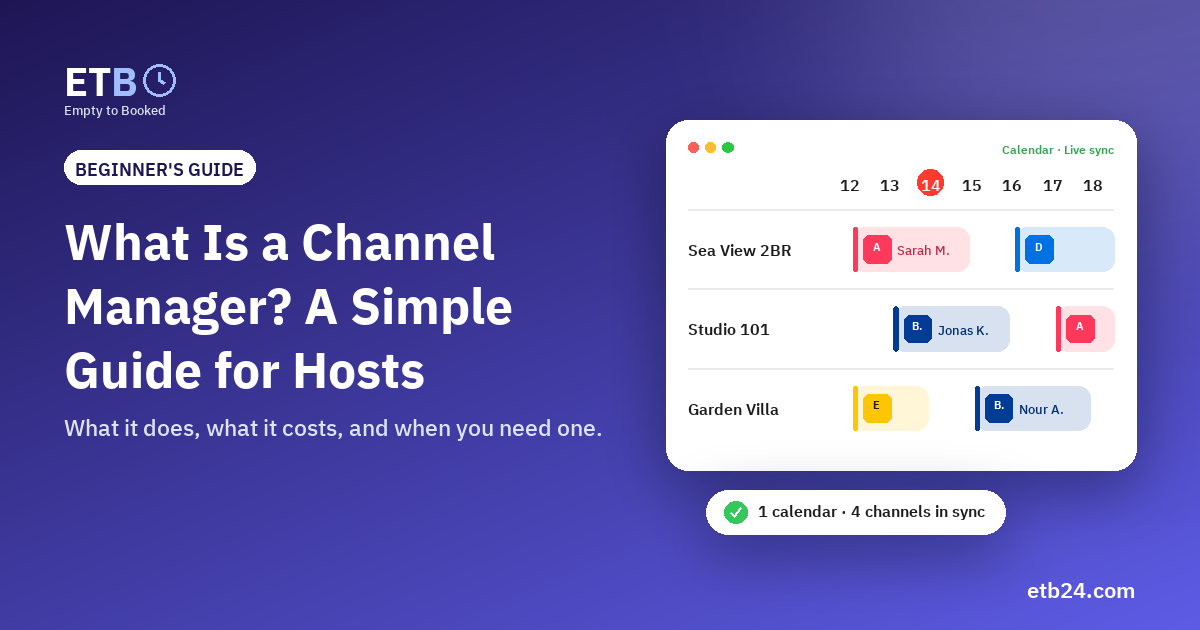
If your apartment is listed on Airbnb, Booking.com and maybe Expedia, you have probably heard the term channel manager. It sounds like something only hotels need. It isn't. If you rent even one unit on two platforms, a channel manager solves the most expensive problem you have: the same night sold twice.
This guide explains what a channel manager does, the two ways it can connect to the platforms, what it costs, and how to tell whether you need one yet.
What a channel manager does
In hospitality, each place you sell your nights is a channel: Airbnb, Booking.com, Expedia, Vrbo, and your own direct guests who call or message you on WhatsApp.
A channel manager is the one place that sits in the middle of all of them:
- It collects every booking from every channel into one calendar.
- It closes the dates everywhere else the moment a night is booked on one channel.
- It lets you add direct bookings so they block the platforms too.
Without one, you are the channel manager. You open each extranet, copy the dates across by hand and hope you didn't miss one.
The two ways a channel manager connects
1. Calendar links (iCal)
Almost every platform gives each listing a calendar link (iCal). It is a private address that shows which nights are booked. A channel manager reads those links from every platform, and gives each platform one link back with the nights booked elsewhere.
- Free on Airbnb, Booking.com and Vrbo.
- Works in minutes: copy, paste, done.
- Not instant: each platform reads the link on its own schedule, usually every few minutes to a few hours.
- Dates only: guest names and prices aren't included.
2. Direct connections (API)
Larger channel managers are official partners of the platforms and talk to them directly through an API.
- Instant: dates close in seconds.
- Two-way: prices, availability and sometimes messages flow in both directions.
- Paid: usually a monthly fee per unit, plus setup.
For most hosts with a handful of units, calendar links remove nearly all double bookings at zero cost. Direct connections become worth it when you get many last-minute bookings or manage dozens of units.
Do you need a channel manager?
You probably do if any of these is true:
- Your units are listed on two or more platforms.
- You take direct bookings by phone or WhatsApp.
- You have been double-booked at least once.
- More than one person manages the calendar (you, a partner, front-desk staff).
- You spend time every day copying dates between extranets.
You can probably wait if you have a single unit on a single platform and never take direct bookings.
What to look for
- One calendar for everything: every unit, every booking, colour-coded by source.
- Direct bookings that block the platforms the moment you save them.
- Closing dates in bulk for maintenance or an owner's stay, across many units at once.
- Clear sync status: you should see when each platform last read your calendar.
- Team access with roles, so front-desk staff can check guests in without seeing revenue.
- Fair pricing: a free start, and paid plans that grow with your number of units.
- Your language: an Arabic interface matters if your team works in Arabic.
What it costs
- Calendar-link channel managers: often free or a few dollars per unit.
- API channel managers: typically from about $10 to $30 per unit per month, often with a minimum.
Empty to Booked (ETB) is free for unlimited units with calendar links, in Arabic and English. Real-time connections will start at $12 a month for up to 3 units.
Frequently asked questions
Is a channel manager the same as a PMS?
Not quite. A PMS (property management system) runs the property itself: check-in, payments, housekeeping. A channel manager keeps availability in sync across channels. Many tools, ETB included, do a bit of both for small and medium hosts.
Will a channel manager change my prices on Airbnb?
Only if it uses a direct (API) connection and you ask it to. Calendar links share availability only; you keep setting prices on each platform.
Can I use one with an apartment hotel or several identical rooms?
Yes. Add each room as a unit and group them by type, for example "Deluxe Studio, 10 units". You see how many are free each night.
Try it free: create your ETB account, add your first unit and connect your platforms in about five minutes.